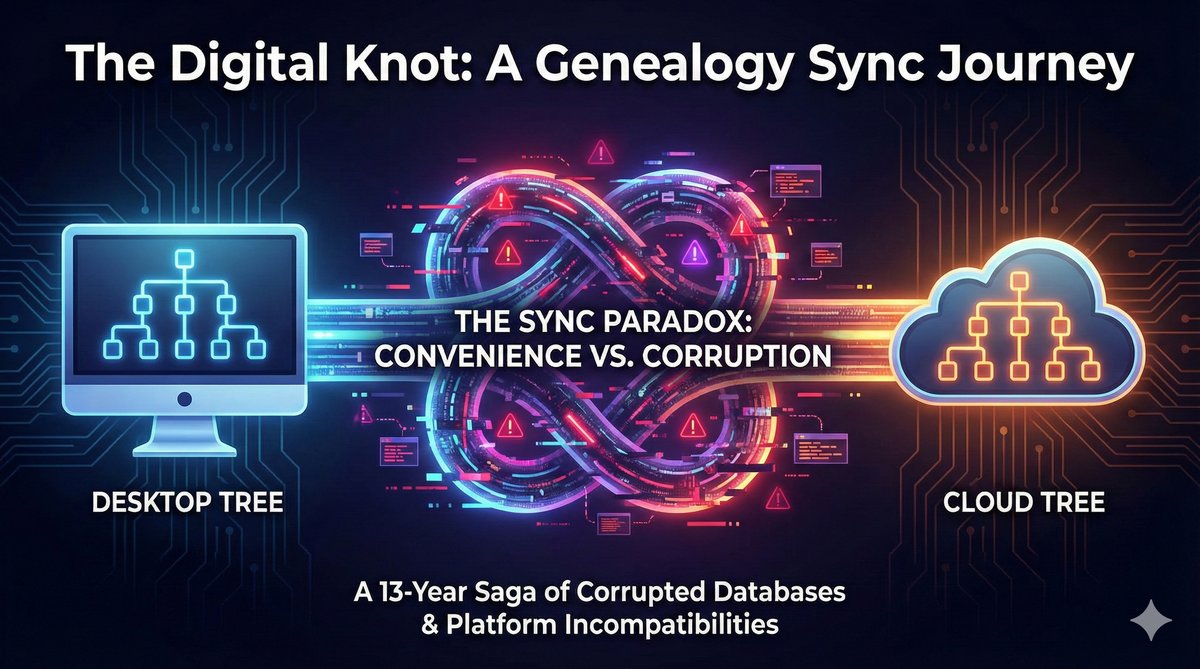
In 2011 time frame, tree synchronization was starting to get traction. I made what seemed like a simple decision: sync my family tree between desktop and online versions with Family Tree Maker. That choice launched a thirteen-year odyssey through failed downloads/syncs, vendor transitions, and platform quirks that continues to this day. Along the way, I've developed some interesting tools that I'm working on sharing with you here.
In This Article
If you've ever trusted genealogy software to synchronize your research across platforms, this story might sound painfully familiar. What follows is a firsthand account of why "sync" became a word that makes genealogists nervous — and why understanding these challenges matters for protecting your family history research.
The Promise: One Tree, Everywhere
The concept was compelling. Family Tree Maker (FTM), then owned by Ancestry.com, offered seamless synchronization between the desktop application and Ancestry's online trees. Upload your research once, access it anywhere, keep everything in sync automatically. For serious genealogists juggling desktop research tools and online collaboration, it seemed like the perfect workflow.
Our tree was large for it's day with thousands of individuals, decades of research, countless source citations and media attachments. But the software promised to handle it. I was certainly hopeful.
That trust would be tested in ways I never imagined.
2011-2013: When Sync Started Breaking
The First Signs of Trouble
Our (really, my wife's) tree was substantial. At first it wouldn't sync. I researched the problem, and found a mish-mash of advice and commentary. Do this and that is a certain sequence, and it will be better. BUT, watch the tree, because people have seen tree corruption as the synchronize their downloaded tree. Over time, we got our first sync, we fixed some intersting curruption issues. A few individuals wouldn't sync and needed to be fixed. Then media files started disappearing. Again, it was a journey. I've freely admitted before - Genealogy software, and this type of database syncing in the "wild" is non-trivial.
I wasn't alone. The Ancestry community forums filled with similar reports: large trees experiencing sync failures, data corruption, mysterious errors that support couldn't explain. In that time frame, reports of corruption didn't, as far as I recall, favor Trees of any particulary size, but larger trees like our suffered from the added problem of being hard to synchronize. Sync times could run in many hours, and with media has stretched to 1.5 - 2 days as our tree has grown.
The Vendor Transition Chaos
Then came the announcement that really stirred things up: Ancestry.com would discontinue Family Tree Maker in December 2015. For users who had built their entire research workflow around FTM's sync capabilities, this was devastating news.
But there was a twist. Software MacKiev stepped in to acquire Family Tree Maker, promising to continue development and maintain sync functionality with Ancestry. Relief turned to renewed hope.
That hope would prove premature.
Data Corruption and Recovery Attempts
During the transition period, sync problems escalated from annoying to catastrophic. This was a time where reports of tree corruption were reaching a near fever pitch, and I recall thinking I didn't much blame Ancestry for wanting to bring in more expertise, but it was a TOUGH TIME for this company to take over:
- Duplicate individuals appearing after sync operations
- Missing relationships between previously linked family members
- Lost media attachments that had been carefully curated and sourced
- Corrupted source citations rendering years of documentation useless
- Inexplicable sync errors that support couldn't reproduce or resolve
I know I kept ancesry support teams busy, and we tried everything the support teams suggested: rebuilding indexes, compacting databases, selective sync, splitting the tree into smaller segments. Nothing consistently worked. I admit I may have even gotten nasty at times (people sometimes do that when their family histiry is involved - sorry!). Some "solutions" would function briefly, then fail again in new and creative ways.
The Technical Reality Behind Sync Failures
Why Large Trees Break Sync Systems
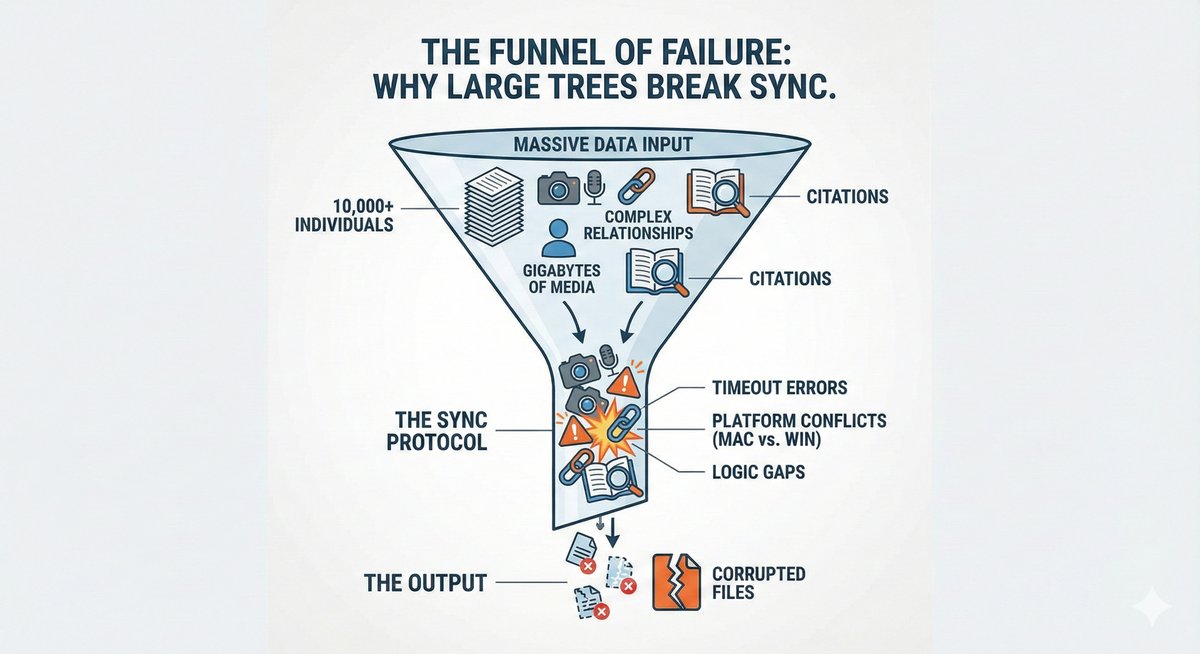
Through years of troubleshooting and community discussions, patterns emerged explaining why sync fails for complex genealogy databases:
Scale and Complexity: Genealogy data isn't simple. Each individual connects to multiple family members, sources, media files, and research notes. A tree with 10,000 individuals might contain 100,000+ discrete data elements, all of which must stay perfectly synchronized.
Relationship Integrity: Like most databases, genealogy data depends on maintaining precise relationships. A single error—a parent-child link pointing to the wrong record—can cascade through generations, creating logical impossibilities that the software struggles to resolve.
Media File Handling: Photos, documents, and audio files add another layer of complexity. When a 5GB tree includes 2GB of media, sync operations must track not just database records but large binary files that may or may not exist on both sides of the sync.
Conflict Resolution: When the same tree is edited in two places (desktop and online), the software must merge changes intelligently. Should it prioritize the desktop version? The online version? Try to merge both? Different software makes different choices, often with unpredictable results.
The Platform Incompatibility Problem
My workflow added another complication: I work on both Windows and Mac. This introduced platform-specific behaviors that made troubleshooting nearly impossible:
- Features that worked on Windows would fail on Mac (or vice versa)
- The programs behaved differently across operating systems
- Sync protocols implemented slightly different logic on each platform
- Error reporting varied, making it unclear where problems originated
When sync failed, was it a Windows issue? A Mac issue? An Ancestry server issue? The interaction between all three? Even Ancestry's own support team often couldn't determine the root cause, though many did try to help.
The Saga Continues: 2014-2025
The story I thought would end in 2013 turned out to be just the beginning. Over the next decade, I continued attempting to achieve reliable sync across platforms—not just with Family Tree Maker, but with other software as well.
2014-2023: A Cycle of Hope and Disappointment: Each new version of Family Tree Maker brought promises of improved sync. Each version brought new problems. The Mac version, in particular, never achieved reliable sync for my large tree—for reasons that remain unclear even today.
2024: Real Progress, Different Trade-offs: Multiple platforms now offer working sync with Ancestry, each with different approaches:
- Family Tree Maker 2024 (MacKiev) finally achieves reliable sync on Windows. After thirteen years, I can consistently synchronize our complex tree without consistent corruption.
- RootsMagic 9 also syncs successfully with Ancestry. Their approach requires reviewing and approving changes during sync—a deliberate design choice that gives users control over what gets synchronized. For smaller trees or researchers who prefer to verify each update, this works well. For very active trees with frequent large changes, the review process adds time and, frankly, makes it unworkable for us EXCEPT as periodic a tree backup.
2025: Progress With Caveats: The sync landscape has genuinely improved. FTM 2024 works reliably on Windows (though the Mac version still struggles with our large tree). RootsMagic offers a working alternative with a different workflow philosophy. The key is matching your tool choice to your research style—there's no one-size-fits-all solution.
Lessons for Genealogists: Protecting Your Research
The Sync Safety Checklist
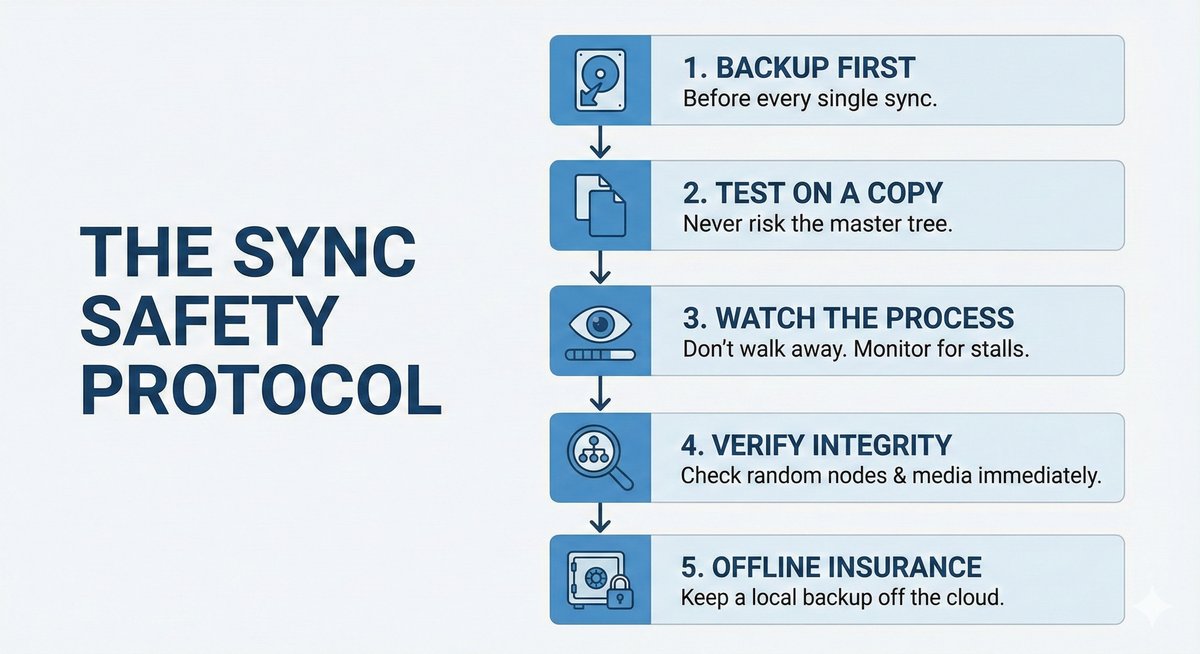
If you're considering using sync features with your genealogy software, protect yourself with these practices:
- Backup before every sync: Create a complete backup of your tree before attempting synchronization (generate a gedcom on Ancesry, or a database backup on the desktop). Not just once—every single time.
- Test with a copy first: Never experiment with sync on your primary tree. Create a test copy and verify sync works reliably before risking your main research database. This is often easier said than done, of course.
- Monitor sync operations: Watch what happens during sync. If you see errors, stop immediately. Don't assume the software will "work it out."
- Verify after sync: Check random individuals, families, sources, and media after sync completes. Corruption doesn't always announce itself with error messages.
- Keep offline backups: Don't rely solely on cloud sync as your backup strategy. Maintain local backups that aren't dependent on any vendor's servers.
The GEDCOM Advantage
My experience taught me the value of vendor-neutral data formats. GEDCOM (Genealogical Data Communication) files, while imperfect, provide insurance against vendor lock-in and platform problems:
- Portability: GEDCOM exports work across virtually all genealogy software
- Independence: Your research isn't trapped in a proprietary format
- Recovery: When sync corrupts your tree, a clean GEDCOM export can be an element that helps save your research
- Migration: Switching platforms becomes possible without losing your data
This is why GenConverse emphasizes GEDCOM-first workflows. We've seen too many genealogists lose research to proprietary sync failures. Starting with standard, portable formats protects your life's work regardless of which software vendor survives the next decade. Ancestry's gedcom generator has genuinely gotten much better over the years, and captured more about your tree than it ever has.
Frequently Asked Questions
Why does Family Tree Maker sync work on Windows but not Mac for large trees?
The technical reasons remain unclear even after a decade of troubleshooting. But, we can say with our large tree - the one that matters the most - we can't get it to sync on the Mac version. Only the windows version. It takes a long time, and it could be that the tradition has been windows, and the platform is just more highly developed and tested there.
How do I know if my tree is too large for reliable sync?
We certainly see that smaller trees sync quickly and seemly reliably today. Our tree - which has grown admittedly too large, is very challenging to shoehorn into this backup approach. You have to leave your tree alone while performing the download or sync to varying degrees, and the larger your tree, the longer it takes and the more that can go wrong. Family Tree Maker uses 3 steps - download tree, build tree, and download media. Your tree needs to remain unchanged on Ancestry during the first two steps. Once you finish the second, the tree is available on FTM, and can be used on Ancestry. One Roots Magic, I've found that you just have to leave your tree alone during the download step. The end of the build process on RM ends with a display of what's changed vs. a failing "something changed, sync fails" on FTM.
Can GEDCOM files replace the need for sync?
GEDCOM provides data portability but not real-time synchronization. You can export a GEDCOM from your desktop software and import it to an online platform, but this is a manual process. GEDCOM serves as insurance and possible migration path, not as a sync replacement.
If Family Tree Maker sync failed for me, what are my alternatives?
RootsMagic 9 offers working Ancestry sync with a review-based workflow that some researchers prefer for its control. Also consider desktop-only workflows with manual GEDCOM exports, cloud-native platforms like FamilySearch, or open-source solutions like Gramps. The best choice depends on your tree size, update frequency, and how much control you want over the sync process. Now that we've managed to get a Family Tree Maker sync working, this works better for us. For a while we could only get Roots Magic sync to work, so we just used that and downloaded from scratch every time. Some of the work-arounds I've used to make things work might full a book...
How can I recover from sync corruption?
If you have clean backups from before corruption occurred, restore from the most recent clean backup. If backups are corrupted too, export a GEDCOM from the least-corrupted version and import it into a fresh tree. You will lose some data, which is why backup-before-every-sync is critical. This is a simplified answer, and we can consult with you about your own situation.
Summary
- 13+ year journey: Sync challenges persist from 2011 to today
- Large trees are vulnerable: 100's of thousands of individuals dramatically increases sync failure risk
- Platform matters: FTM 2024 works on Windows, still fails on Mac for large trees
- Backup obsessively: Before every sync, without exception
- GEDCOM is insurance: Vendor-neutral formats protect your research long-term
- The story continues: Updates will be added as developments emerge
Protect Your Family History
GenConverse's GEDCOM-first approach helps you understand and validate your genealogy data regardless of which platform created it. Try Genie to explore your GEDCOM files, or contact us to discuss your data portability needs.